App Design
Pairfect Design Studio
Pairfect Design Studio

Edison Sathiyaseelan
Content Head & UX UI Designer
Dec 4, 2025
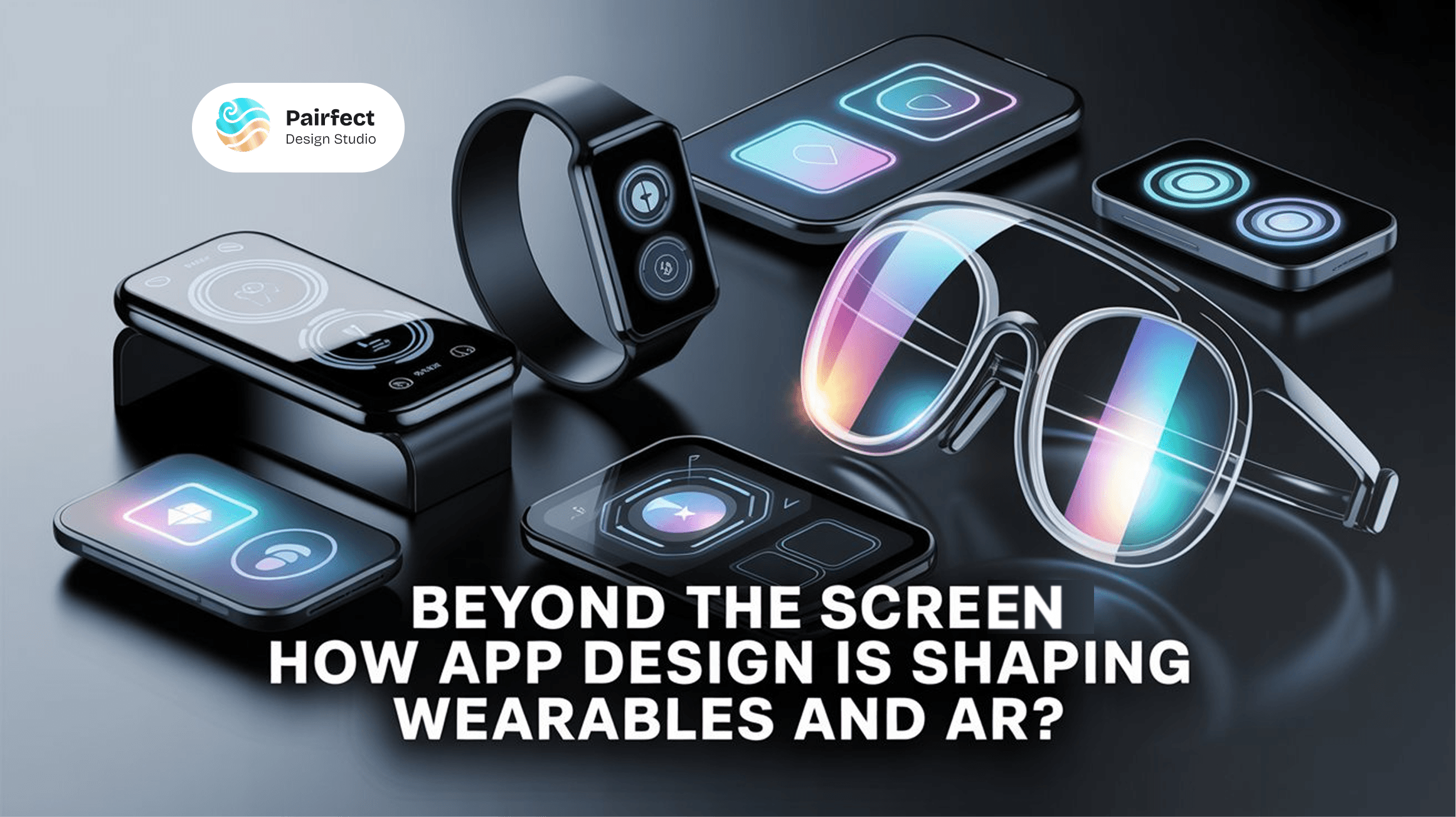
Beyond the Screen: How App Design Is Shaping Wearables and AR?
Beyond the Screen: How App Design Is Shaping Wearables and AR?
The future of app design is moving beyond screens, driven by the rapid growth of wearables and augmented reality (AR).
For over a decade, mobile applications have been the foundation of everyday digital experiences. From banking and e-commerce app design to gaming and chatting, we have done it all on our touch screens. We are at the beginning of an era when the interface won't only be flat and rectangular in our hands.
Wearables and augmented reality (AR) are changing how we connect, work, and live. The future of digital design is about more than pixels on a screen; it's about designing experiences that are intuitive, human-centered, and easily co-exist and integrate with the real world.
As apps move beyond the screen, businesses, designers, and developers face a delightful challenge ahead: how to design & create experiences that appear natural, contextual, and responsive. This post examines how app design principles will evolve to address wearables and embrace AR technology and what that may mean for the future of user experience and user interface innovation.
1. The Surge of Screenless Interactions
As smartwatches, AR glasses, and voice-controlled devices proliferate, interactions are shifting away from taps on a screen. Instead, gestures, voice, eye movements, and environmental cues will rise as the primary modes of interaction.
Wearable devices such as the Apple Watch, Fitbit, and Oura Ring are centered around micro-interactions; users can check their heartbeat, read a notification, or track their steps in seconds.
Augmented reality interfaces such as Apple Vision Pro or Meta Quest project digital content over the real-world interface, moving screens from simple rectangles to contextual layers.
These devices require interface designers to think about ui interaction design, simplicity, speed, and precision while avoiding a cacophony of visuals and information.
Designers are no longer just creating app ui design or mobile app ui, but designing invisible experiences as much about timing, gesture, and placement as they are about the user interface.
2. Minimalist UI, Maximum Impact
With no screen or a very small one, every pixel counts. Minimal mobile ui design is not just a trend: it’s a functional requirement.
For wearables, designers can expect the following:
Glanceability: Information is delivered in under 2 seconds.
Contextual delivery: Data only appears when relevant (e.g., heart rate during a workout).
Subtle animations: Smooth transitions and ui elements give users a sense of interaction.
For AR, a minimal UI ensures digital overlays don’t compete with reality. Instead, they enhance it. For example, arrows for navigation can float on the sidewalk, or fitness information can hover above your route.
Every detail in user interface design and application interface design must serve a purpose. These cool ui designs create harmony between the real and digital world, a core principle of modern mobile app design.
3. Integrating Natural Movements and Gestures
When users engage with wearables or AR experiences, they don’t want to “dig into a device.” Users want to live their lives while technology supports them in the background.
This design involves:
Hand gestures and body movement (pinch, swipe, nod, point).
Voice interaction (short commands, natural language).
Eye tracking (looking at an element becomes input).
Haptics and microfeedback (a subtle buzz confirms an action).
Good interaction design takes these gestures and builds intuitive language. A subtle wrist twist might dismiss a notification, or gazing at an AR object might select it.
This makes user experience feel natural and design intuitive, bridging user interface and user experience design in a seamless way.
4. Context is the New Canvas
Designing wearable and AR experiences is different from mobile application design. A smartwatch notification in the gym differs from one in a boardroom.
This requires adaptive design systems that respond to:
Location (GPS context, indoor/outdoor).
Activity (running, sitting, working, commuting).
User intent (quick glance vs. deep interaction).
Environmental conditions (lighting, noise, movement).
This adaptive ui ux design means apps must resonate beyond fixed screens. Designers must use user experience and interface design principles to build responsive mobile ecosystems that feel personal and frictionless.
5. Typography, Color, and Motion in Micro-Spaces
Small screens or overlays push user interface ui ux and visual design into extremes. Key considerations include:
Readable type: Sans-serif typefaces, large spacing, high contrast.
The psychology of color: Subtle gradients and clean palettes guide attention.
Micro-motion: A pulse signals updates; smooth fades attract focus.
Every visual element in mobile screen design works harder to deliver value. Ui patterns and design aesthetics are essential to making user interface design elements effective.
6. Data Visualization for Real-World Application
Wearables and AR rely on real-time data. Health, navigation, and performance indicators must be clear and minimal.
For wearables, small graph visualizations, rings, and indicators keep users informed.
For AR, digital design overlays temperature, navigation arrows, workout stats blend seamlessly with the user’s view.
This creates a new application ui ux design language where mobile app interface design evolves from static dashboards into fluid, ambient experiences.
7. Design Systems That Cross Platforms
Wearables and AR exist within larger mobile and design ecosystems. Phones, desktops, and cloud platforms all play a role.
Designing for this involves:
Seamless transitions between devices (start on phone, continue on watch, end in AR).
Consistent branding with layout adjustments.
Modular ui ux application components that adapt across device types.
This design once, adapt anywhere approach provides ux users and ui and ux designers with the ability to deliver cohesive experiences.
8. Accessibility and Inclusion
The future of ui ux design is tied to accessibility. Wearables and AR can create both opportunities and barriers.
Accessibility design ensures:
Voice navigation for users with limited mobility.
Text-to-speech and speech-to-text features.
High contrast visuals and adjustable fonts.
Haptic feedback for alerts.
Inclusive user interface design ensures technology works for everyone. Application user experience must include everyone, not just early adopters.
9. Artificial Intelligence and Personalization on Wearables and AR
Artificial intelligence is at the core of this ecosystem, enabling adaptable AI user interface design and ux design artificial intelligence experiences. Instead of “one size fits all,” AI allows interfaces to change dynamically:
Predicting user intent (e.g., surfacing stats during workouts).
Adjusting application ui design layouts in real time.
Recommending relevant actions and insights.
AI transforms apps into intelligent “friends” instead of static “tools.” This is where app design ai and ai design apps redefine mobile app ui ux design.
10. The Future: An Ecosystem without “Apps”
Perhaps the most fascinating aspect of this evolution is that the app interface design as we know it may disappear. Instead of opening icons, we will be immersed in ambient interfaces powered by AI that respond to context.
AR will expand seamlessly into our environment. Wearables will function like natural extensions of our bodies. Mobile application interface design will be less about clicking and more about user interface ux flowing with our daily routines.
This requires designers to rethink everything about user experience and user interface design shifting from fixed screens to fluid ecosystems powered by app designers, ui ux studio creativity, and ai design app intelligence.
Final Thoughts: Designing Beyond the Screen
The prospect of mobile app design lies not on a screen but in the spaces we occupy, the gestures we express, and the significant moments we live. Wearables and AR are transforming mobile app ui ux and ui graphic design, and those who adapt quickly will create truly evolved design systems.
At Pairfect Design Studio, we believe great design is not only what you see, it's how you feel and interact effortlessly. As we enter this next era, the brands that will lead are the ones designing beyond the screen with user interface graphic design, user experience user interface design, and adaptive prototyping app strategies.

Tell Us What to Build
Share what you want to launch. product, website, or MVP, and we’ll respond with the right low‑code approach, estimate, and roadmap to go live.
Let’s Connect & Create Something Beautiful!
Reach out to us today and let’s discuss your needs.
Let’s Connect & Create Something Beautiful!
Reach out to us today and let’s discuss your needs.
Let’s Connect & Create Something Beautiful!
Reach out to us today and let’s discuss your needs.
The future of app design is moving beyond screens, driven by the rapid growth of wearables and augmented reality (AR).
Edison Sathiyaseelan
Content Head & UX UI Designer
Dec 4, 2025
Beyond the Screen: How App Design Is Shaping Wearables and AR?
For over a decade, mobile applications have been the foundation of everyday digital experiences. From banking and e-commerce app design to gaming and chatting, we have done it all on our touch screens. We are at the beginning of an era when the interface won't only be flat and rectangular in our hands.
Wearables and augmented reality (AR) are changing how we connect, work, and live. The future of digital design is about more than pixels on a screen; it's about designing experiences that are intuitive, human-centered, and easily co-exist and integrate with the real world.
As apps move beyond the screen, businesses, designers, and developers face a delightful challenge ahead: how to design & create experiences that appear natural, contextual, and responsive. This post examines how app design principles will evolve to address wearables and embrace AR technology and what that may mean for the future of user experience and user interface innovation.
1. The Surge of Screenless Interactions
As smartwatches, AR glasses, and voice-controlled devices proliferate, interactions are shifting away from taps on a screen. Instead, gestures, voice, eye movements, and environmental cues will rise as the primary modes of interaction.
Wearable devices such as the Apple Watch, Fitbit, and Oura Ring are centered around micro-interactions; users can check their heartbeat, read a notification, or track their steps in seconds.
Augmented reality interfaces such as Apple Vision Pro or Meta Quest project digital content over the real-world interface, moving screens from simple rectangles to contextual layers.
These devices require interface designers to think about ui interaction design, simplicity, speed, and precision while avoiding a cacophony of visuals and information.
Designers are no longer just creating app ui design or mobile app ui, but designing invisible experiences as much about timing, gesture, and placement as they are about the user interface.
2. Minimalist UI, Maximum Impact
With no screen or a very small one, every pixel counts. Minimal mobile ui design is not just a trend: it’s a functional requirement.
For wearables, designers can expect the following:
Glanceability: Information is delivered in under 2 seconds.
Contextual delivery: Data only appears when relevant (e.g., heart rate during a workout).
Subtle animations: Smooth transitions and ui elements give users a sense of interaction.
For AR, a minimal UI ensures digital overlays don’t compete with reality. Instead, they enhance it. For example, arrows for navigation can float on the sidewalk, or fitness information can hover above your route.
Every detail in user interface design and application interface design must serve a purpose. These cool ui designs create harmony between the real and digital world, a core principle of modern mobile app design.
3. Integrating Natural Movements and Gestures
When users engage with wearables or AR experiences, they don’t want to “dig into a device.” Users want to live their lives while technology supports them in the background.
This design involves:
Hand gestures and body movement (pinch, swipe, nod, point).
Voice interaction (short commands, natural language).
Eye tracking (looking at an element becomes input).
Haptics and microfeedback (a subtle buzz confirms an action).
Good interaction design takes these gestures and builds intuitive language. A subtle wrist twist might dismiss a notification, or gazing at an AR object might select it.
This makes user experience feel natural and design intuitive, bridging user interface and user experience design in a seamless way.
4. Context is the New Canvas
Designing wearable and AR experiences is different from mobile application design. A smartwatch notification in the gym differs from one in a boardroom.
This requires adaptive design systems that respond to:
Location (GPS context, indoor/outdoor).
Activity (running, sitting, working, commuting).
User intent (quick glance vs. deep interaction).
Environmental conditions (lighting, noise, movement).
This adaptive ui ux design means apps must resonate beyond fixed screens. Designers must use user experience and interface design principles to build responsive mobile ecosystems that feel personal and frictionless.
5. Typography, Color, and Motion in Micro-Spaces
Small screens or overlays push user interface ui ux and visual design into extremes. Key considerations include:
Readable type: Sans-serif typefaces, large spacing, high contrast.
The psychology of color: Subtle gradients and clean palettes guide attention.
Micro-motion: A pulse signals updates; smooth fades attract focus.
Every visual element in mobile screen design works harder to deliver value. Ui patterns and design aesthetics are essential to making user interface design elements effective.
6. Data Visualization for Real-World Application
Wearables and AR rely on real-time data. Health, navigation, and performance indicators must be clear and minimal.
For wearables, small graph visualizations, rings, and indicators keep users informed.
For AR, digital design overlays temperature, navigation arrows, workout stats blend seamlessly with the user’s view.
This creates a new application ui ux design language where mobile app interface design evolves from static dashboards into fluid, ambient experiences.
7. Design Systems That Cross Platforms
Wearables and AR exist within larger mobile and design ecosystems. Phones, desktops, and cloud platforms all play a role.
Designing for this involves:
Seamless transitions between devices (start on phone, continue on watch, end in AR).
Consistent branding with layout adjustments.
Modular ui ux application components that adapt across device types.
This design once, adapt anywhere approach provides ux users and ui and ux designers with the ability to deliver cohesive experiences.
8. Accessibility and Inclusion
The future of ui ux design is tied to accessibility. Wearables and AR can create both opportunities and barriers.
Accessibility design ensures:
Voice navigation for users with limited mobility.
Text-to-speech and speech-to-text features.
High contrast visuals and adjustable fonts.
Haptic feedback for alerts.
Inclusive user interface design ensures technology works for everyone. Application user experience must include everyone, not just early adopters.
9. Artificial Intelligence and Personalization on Wearables and AR
Artificial intelligence is at the core of this ecosystem, enabling adaptable AI user interface design and ux design artificial intelligence experiences. Instead of “one size fits all,” AI allows interfaces to change dynamically:
Predicting user intent (e.g., surfacing stats during workouts).
Adjusting application ui design layouts in real time.
Recommending relevant actions and insights.
AI transforms apps into intelligent “friends” instead of static “tools.” This is where app design ai and ai design apps redefine mobile app ui ux design.
10. The Future: An Ecosystem without “Apps”
Perhaps the most fascinating aspect of this evolution is that the app interface design as we know it may disappear. Instead of opening icons, we will be immersed in ambient interfaces powered by AI that respond to context.
AR will expand seamlessly into our environment. Wearables will function like natural extensions of our bodies. Mobile application interface design will be less about clicking and more about user interface ux flowing with our daily routines.
This requires designers to rethink everything about user experience and user interface design shifting from fixed screens to fluid ecosystems powered by app designers, ui ux studio creativity, and ai design app intelligence.
Final Thoughts: Designing Beyond the Screen
The prospect of mobile app design lies not on a screen but in the spaces we occupy, the gestures we express, and the significant moments we live. Wearables and AR are transforming mobile app ui ux and ui graphic design, and those who adapt quickly will create truly evolved design systems.
At Pairfect Design Studio, we believe great design is not only what you see, it's how you feel and interact effortlessly. As we enter this next era, the brands that will lead are the ones designing beyond the screen with user interface graphic design, user experience user interface design, and adaptive prototyping app strategies.
Tell Us What to Build
Share what you want to launch. product, website, or MVP, and we’ll respond with the right low‑code approach, estimate, and roadmap to go live.